AI Smile Simulator
Show visitors what a smile improvement could look like, then start the conversation
A visitor chooses what they would like to improve, adds a photo and sees an AI-generated visualisation beside their own picture. It is illustrative only, so it opens the conversation without promising a result.
What the patient sees
Their own photo, next to an illustrative preview
The result is shown as a before-and-after slider. The preview keeps the patient's own face, framing and orientation; it is never mirrored or cropped. It is clearly labelled as an illustration, and your practice's own contact options sit directly beneath it.
- Works on phones: take a photo in the page, or upload one.
- The patient agrees to how their photo is processed before anything is sent.
- Your logo and colours can be applied so it looks like your practice.
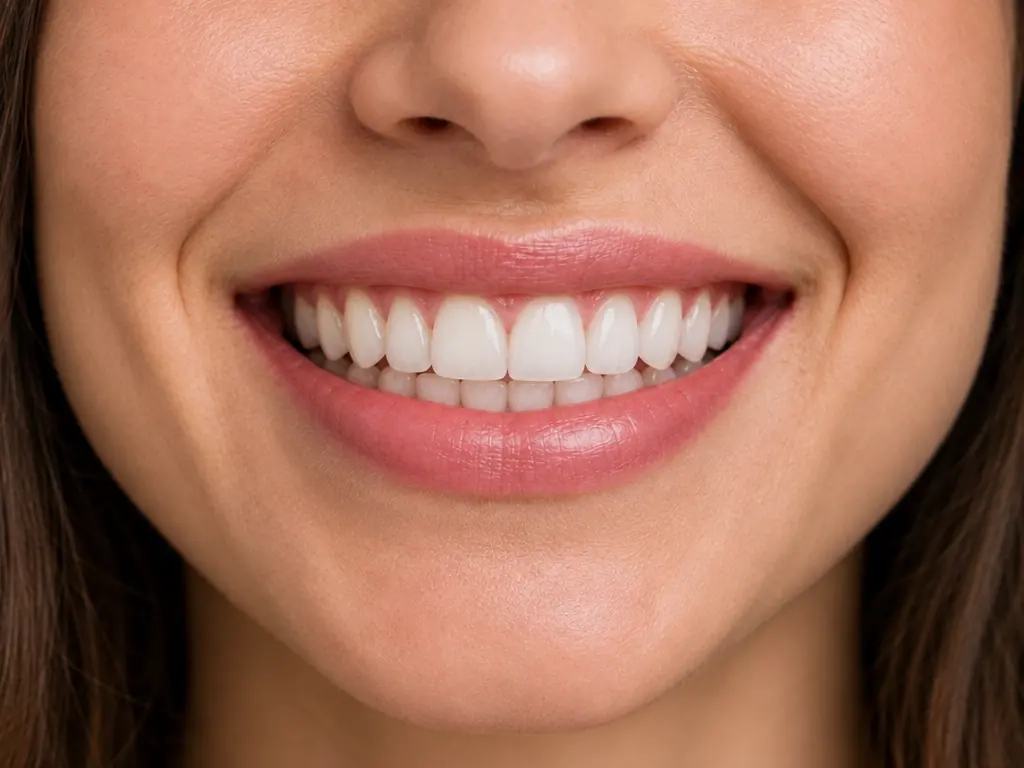
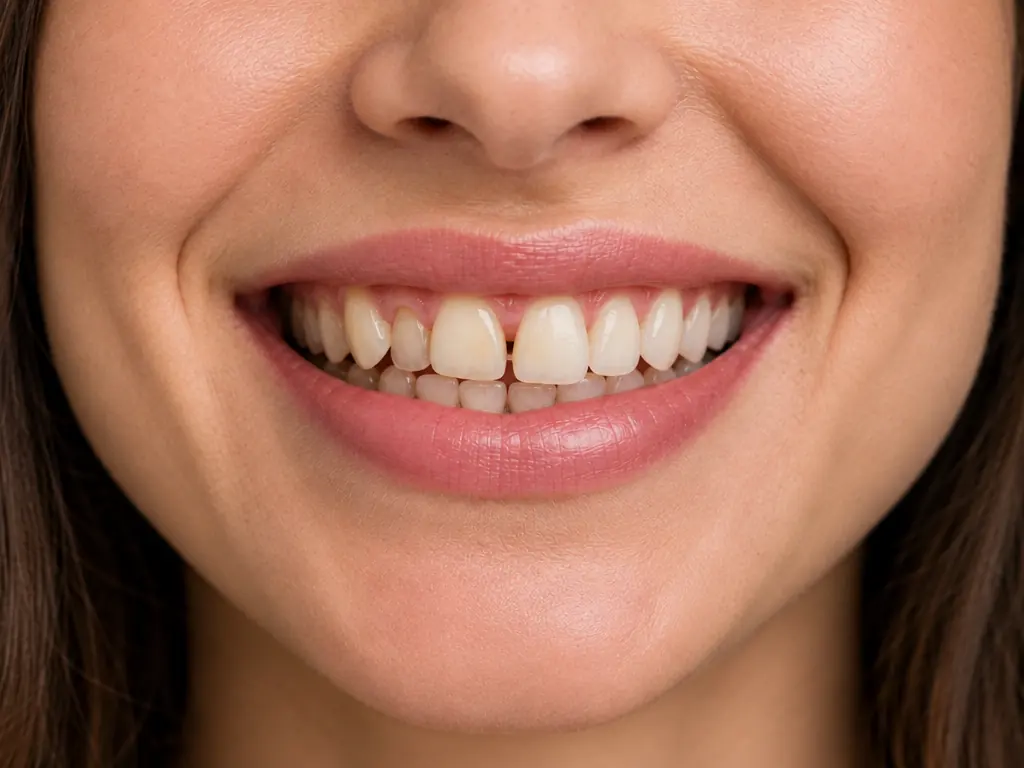
Illustrative example using AI-generated images, not a real patient.
The patient journey
Four short steps
Choose what to improve
For example whiter teeth or straighter teeth, from the treatments your practice has switched on.
Answer one or two questions
A quick question or two about the kind of change they have in mind, so the preview matches what they asked for.
Add a photo and agree
Take a photo in the page or upload one, and agree to how it is processed.
See the preview and get in touch
They see the preview beside their photo and can ask a question, call, or follow your booking link.
After the preview, the patient can ask a question, call the practice or follow your booking link. Each preview becomes an enquiry in your CRM with the treatment they were interested in and where they came from.
Your practice stays in control
Choose the treatments, wording and look
Treatments you offer
Switch on only the treatments that fit your practice. Patients only ever see the options you enable.Your own wording
Price and duration are optional, written by you, and only shown if you turn them on.Your branding
Add your logo and colours. A small mark of your practice is applied to the generated image.Your contact options
Point patients to your booking link and phone number. DenBrain never invents an appointment.Your website, your rules
The widget only loads on the website addresses you allow, so it cannot be copied onto someone else's site.Share links
Create a link for campaigns or social posts so visitors can try the preview without visiting your site.
Treatments
Eight treatments, plus "something else"
- Tooth whiteningA natural improvement in the visible brightness of the teeth.
- Teeth straightening / alignmentA subtle improvement in the visible alignment and crowding of the teeth.
- Gap reductionA conservative reduction in the appearance of visible gaps.
- Composite bondingA conservative improvement to visible tooth edges, shape and proportions.
- VeneersA restrained cosmetic change to the visible shape and shade of the front teeth.
- Smile makeoverConservative changes limited to the aspects the patient chose.
- Gum aestheticsA conservative look at the balance between gums and teeth. Surgical outcomes are not simulated.
- Missing-tooth replacementReplacement is not simulated; the preview stays conservative and says so.
Honest by design
Illustrative, never a promise
AI Smile Simulator is an AI-generated visualisation to help a patient start a conversation. It is not a diagnosis, a clinical prediction or a guarantee. Only a dental professional can assess what is suitable and what is realistic.
Generated Smile Preview images (the preview and the 'before' image shown beside it) are temporary: they are available for 24 hours and are then deleted automatically, unless the practice deliberately saves them from its DenBrain dashboard. Images a practice saves are held as that practice's own record, for as long as the practice keeps them, outside this temporary window.
Your 30-day free trial includes 10 AI Smile Simulator generations. No payment card is needed to start.
Read more on how photos are handled and AI and dental safety.
Try AI Smile Simulator on your own website
Start your 30-day free trial, or talk to us first.